
How to register FIBERME FCM5600 With FGX45XX using FRC
On this page
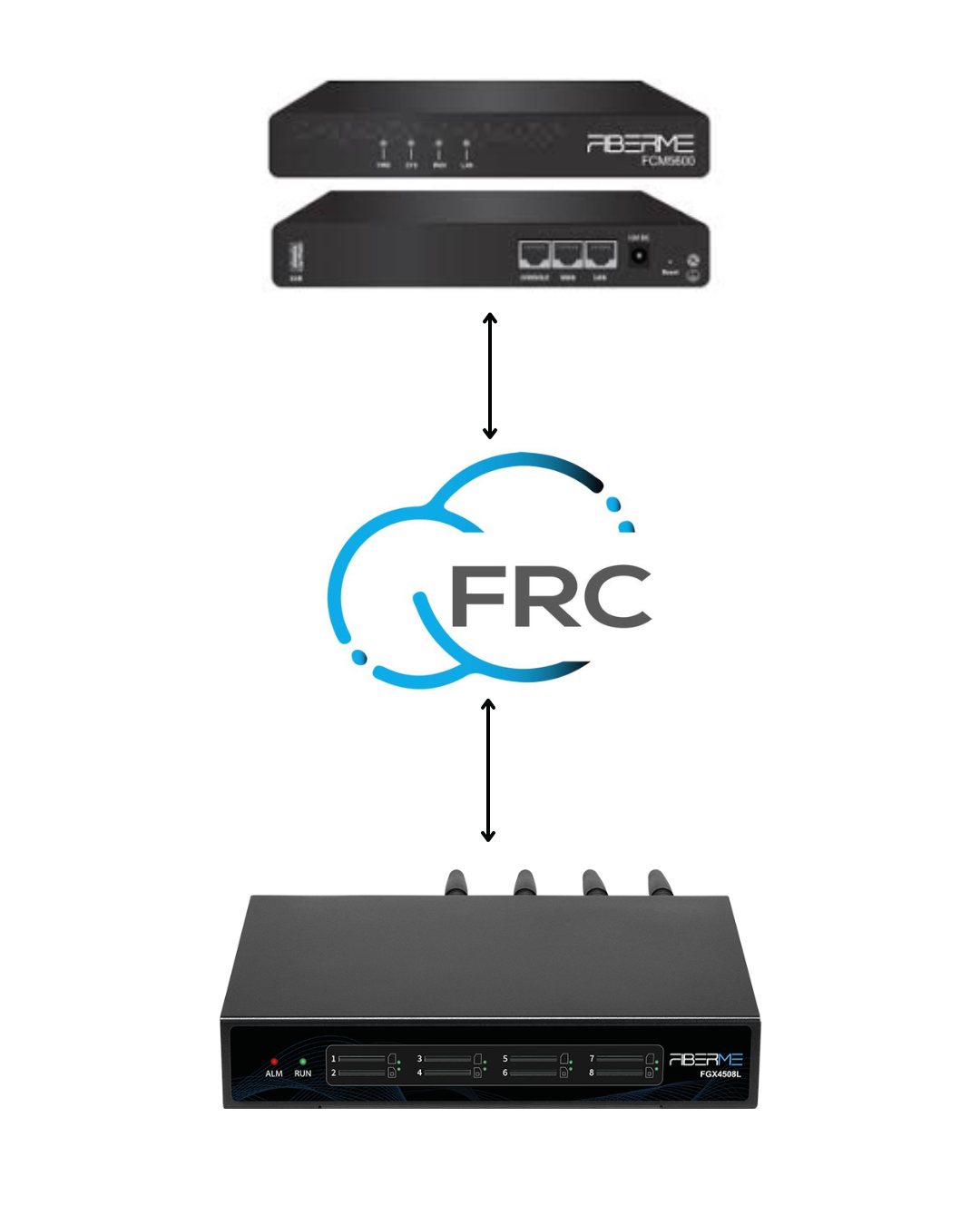
To establish connectivity between the FCM5600 and the FIBERME FGX45xx GSM Gateway Remotely , it is essential to enable the FCM5600 FRC to connect with the FIBERME FGX45xx GSM Gateway. This configuration allows the extension in the FCM5600 to integrate with a SIM card, enabling both outbound and inbound calls through the “Extension” or “Queue” via the cloud, eliminating the need for local connectivity.
Topology#
On FCM5600 (IP-PBX)#
1- Navigate to PBX Settings-> Extensions/Trunks -> Trunks.
2- Choose Trunk and navigate to add.
Make Type “Server mode“
Enable “Authentication”
-Write your Domain in ” Out Proxy Server ” -> yourcompanyname.fiberme.cloud
Write Out proxy port -> 5162
write username -> any name you need as 2107
Write Password

3- Navigate to Other
Make Transport Protocol -> TLS
Write your Domain in “From Domain“
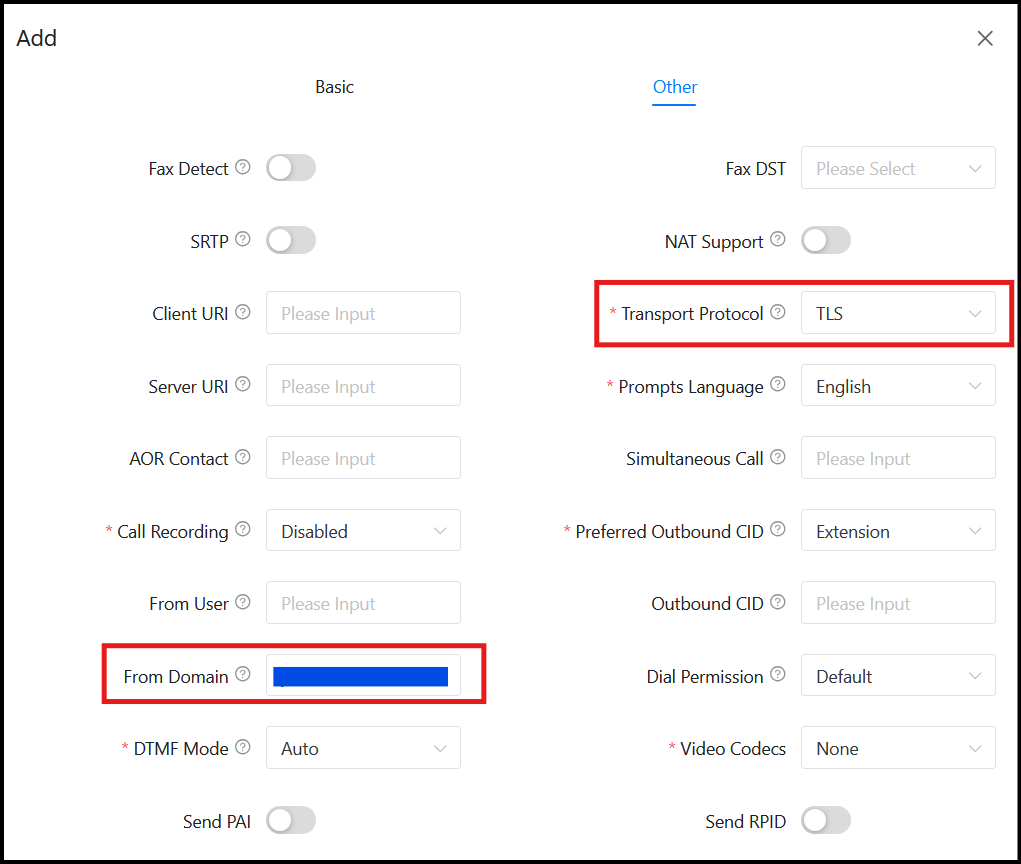
– Click on Submit Then aplay changes
Configure Outbound Routes on FCM5600#
Navigate to “PBX Settings -> Outbound Control -> Dial Rules”
Press on + to add new rule
In the Dial Pattern field, please write: X.
From “Available Trunks” please select the trunk that you created “2107“
Click on “Submit” to save to rule details.
Please be sure that all extensions in IPPBX can use this dial rule.
Configure Inbound Routes on FCM5600#
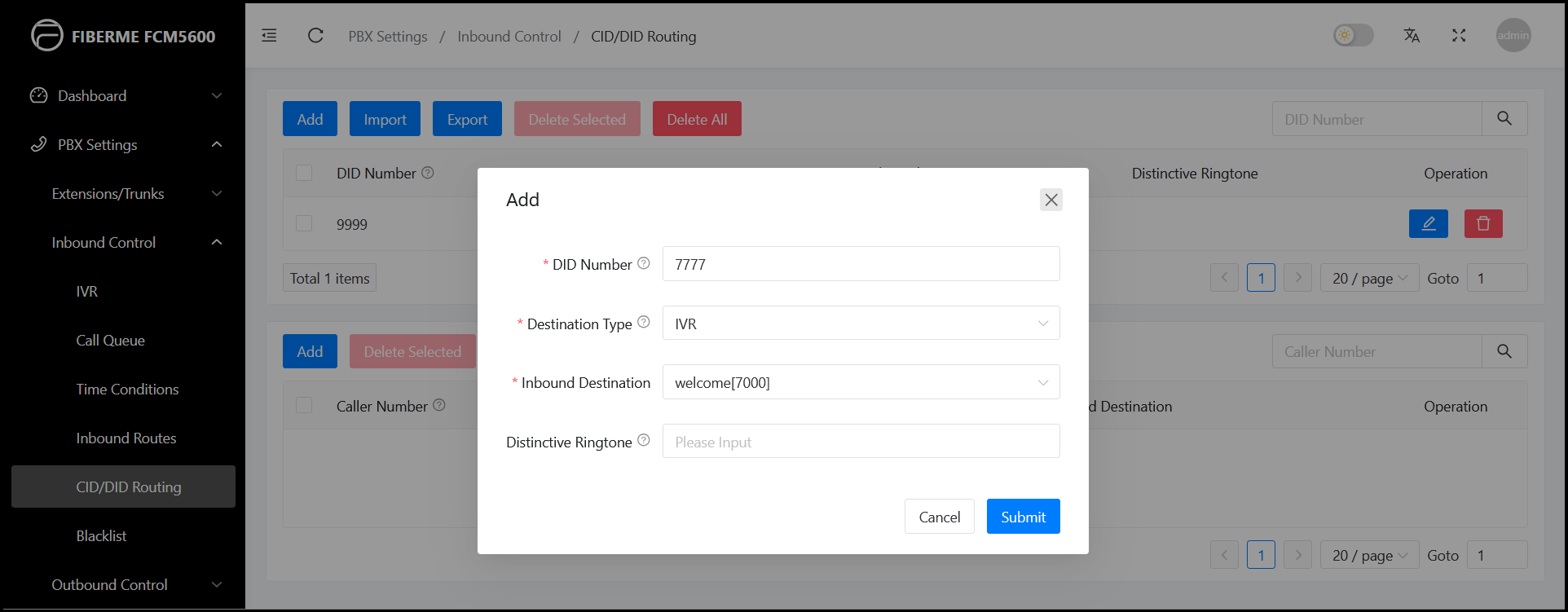
1- Navigate to “PBX Settings -> inbound Control -> CID/DID Routing”
2- Press on Add to add new rule
-DID Number : 7777 (This number we will configer it in FGX45XX in Forward Number)
Destination Type: IVR (any Destination you need)
Inbound Destination
– Click on Submit Then apply changes
FGX45XX (GSM gateway)#
1-Navigate to VOIP -> VOIP Endpoint
2- Add new SIP Endpoint
Name: FCM5600
User name : 2107
Password
Registration: client
Hostname or IP Address: yourcompanyname.fiberme.cloud
Port: 5162
Transport: TLS
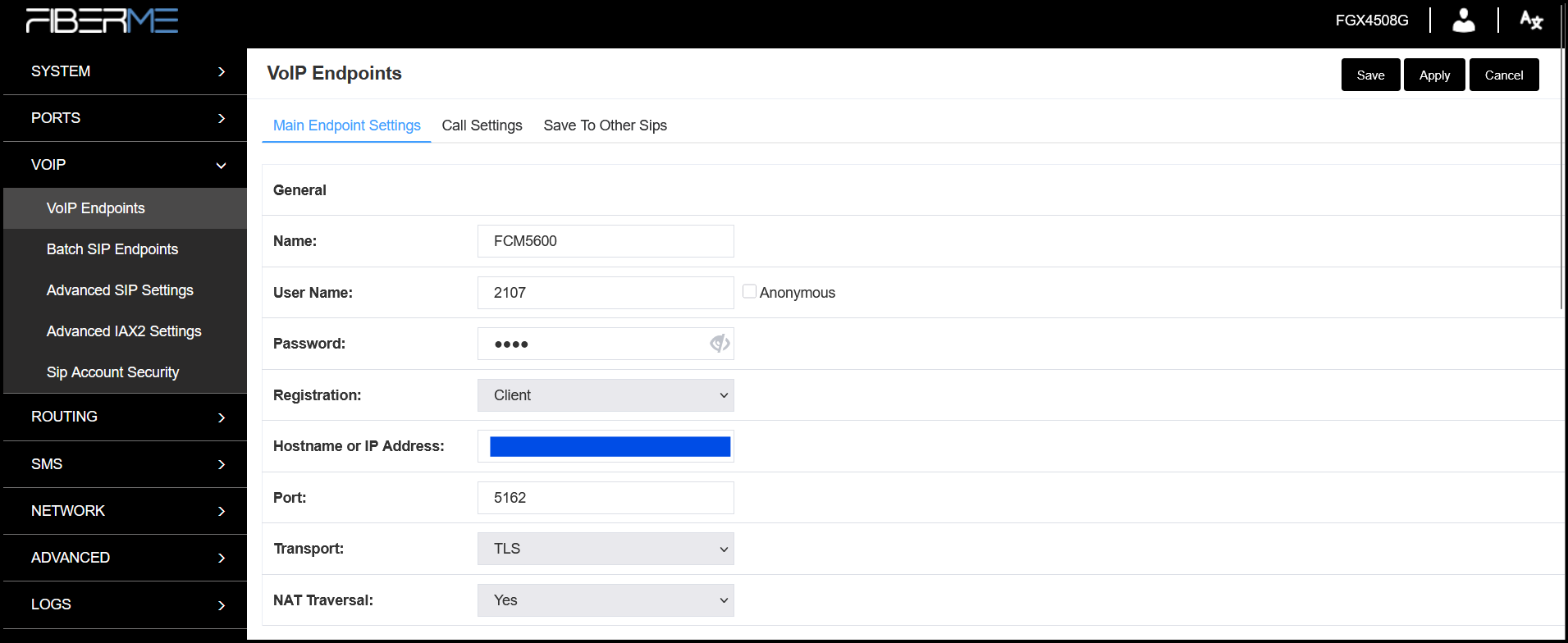
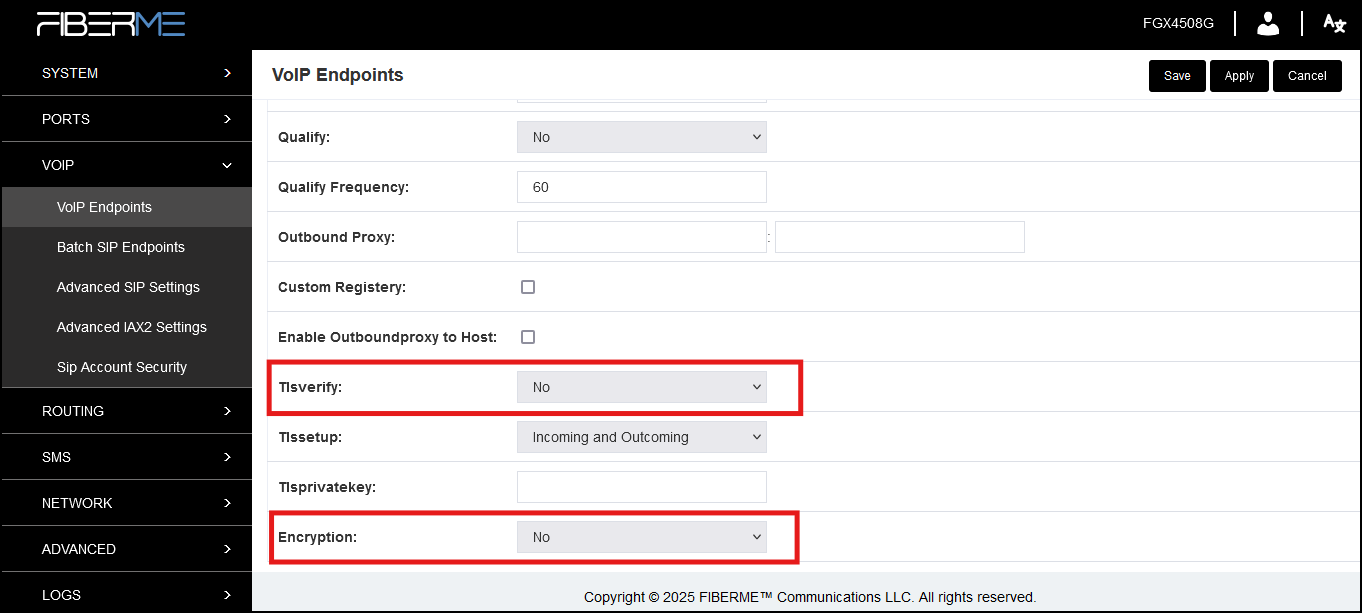
Make Tlsverify: NO
Make Encryption: NO
3- Navigate to Sip Account Security
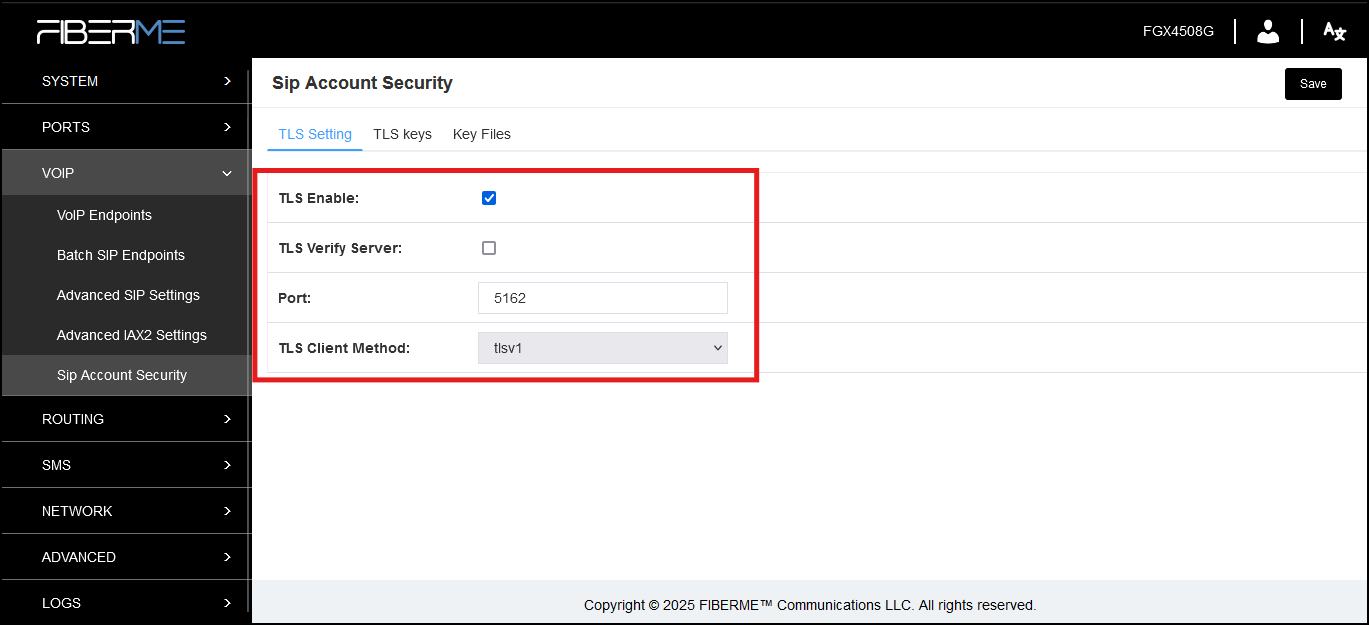
4- TLS Setting
Make TLS Enable
Make TLS Verify server disable
Port :5162
TLS Client Method : tlsv1
5- Nevigate to TLS Keys
Type : Server
Key Name : fcm5600
IP Address: 192.168.1.100 (FGX45XX IP)
Organization (company name)
Password

Press on Create
Configure Outbound Call Routing#
1- Navigate to Routing -> Call Routing Rules
Add New Call Routing Rule
Routing Name: From FCM5600 TO SIM
Call Comes in From: FCM5600
Send Call Through: GSM-4

2- Navigate to advanced
– Caller_Dial_pattern : Match Pattern X.
3- Press save

Configure Inbound Call Routing#
1- Navigate to Routing -> Call Routing Rules
Add New Call Routing Rule
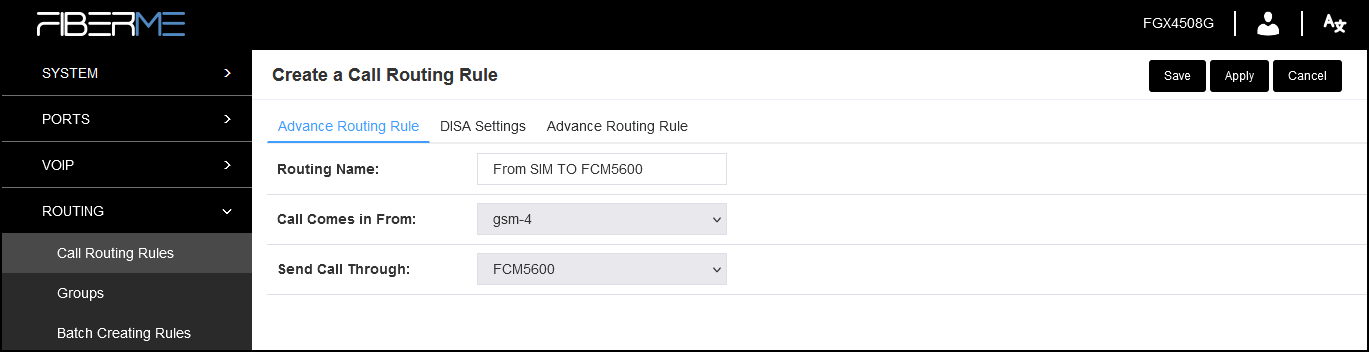
Routing Name: From SIM TO FCM5600
Call Comes in From: GSM-4
Send Call Through: FCM5600
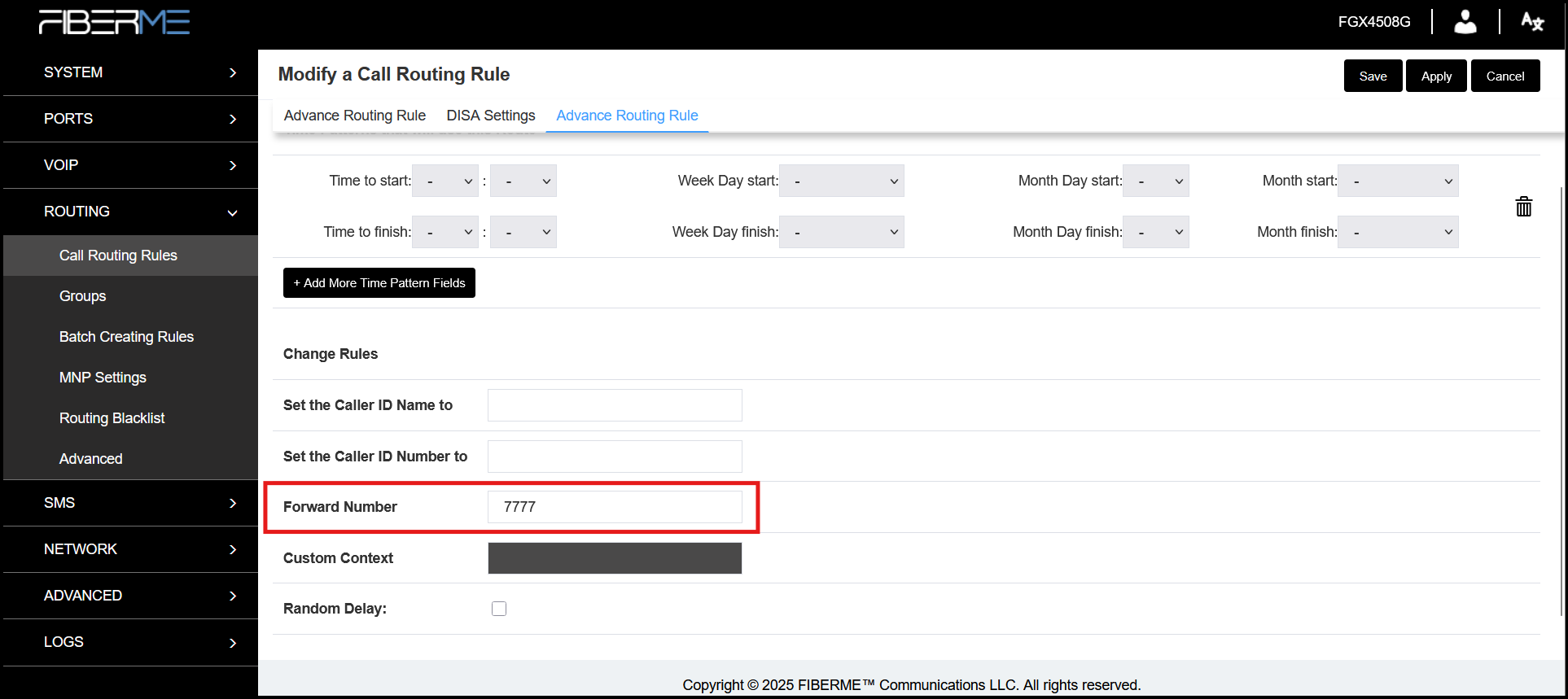
2- Navigate to advanced
– Forward Number : 7777
3- Press Save then Apply
Still stuck?
FIBERME support can look at your setup with you. Certified Partners can also ask in the FIBERME Community, and anyone can learn the systems step by step in the free courses of FIBERME Academy.