
How to Register FIBERME IP-Phone to 3CX
establish connectivity between 3CX and FIBERME IP-Phone, it is necessary to enable registration for IP-Phone on the 3CX. This will enable the IP-Phone to connect with other extensions registered on 3CX.
On this page
IN 3CX#
Login to 3CX GUI
Navigate to Admin Console
Navigate to Users
Add User

– Enter the extension number and the required data.
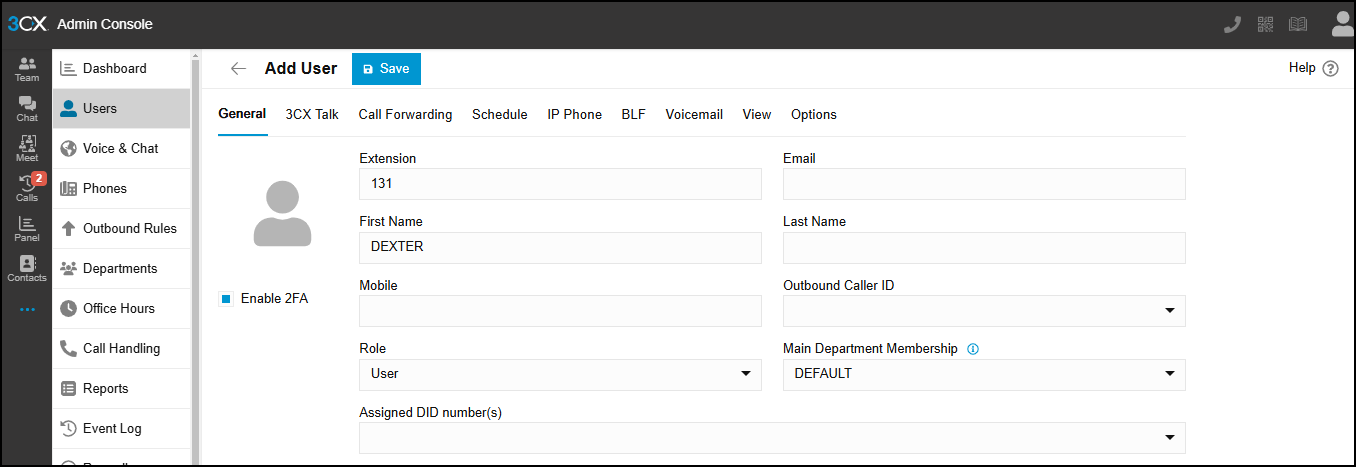
Click on Save
Navigate to this extension again
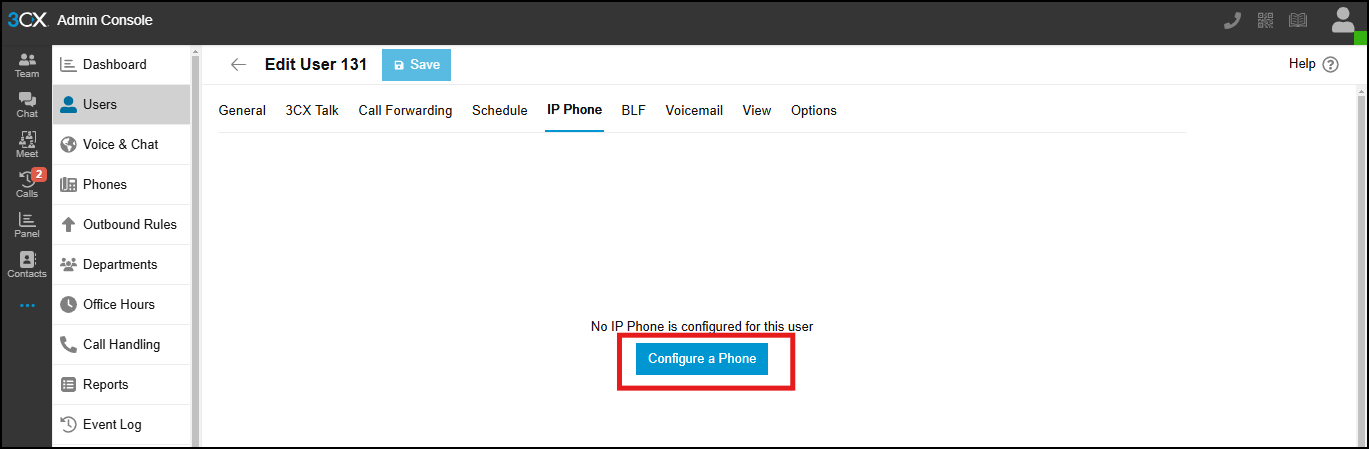
Navigate to IP-Phone
Click on Configure a Phone
– Click on I Will configure the phone myself
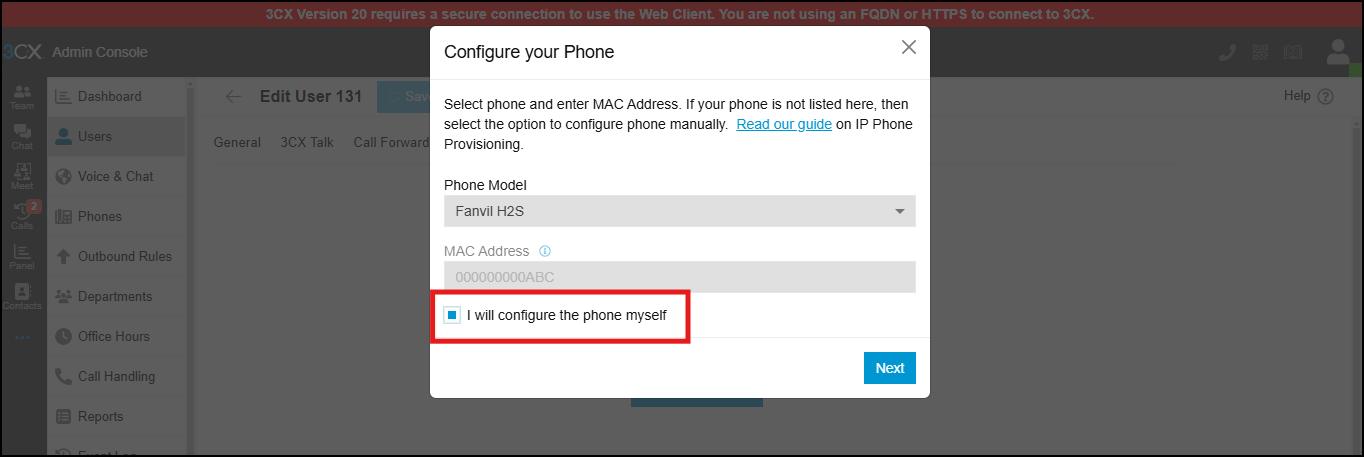
Then Next
Select interface you will use
click on Add Phone
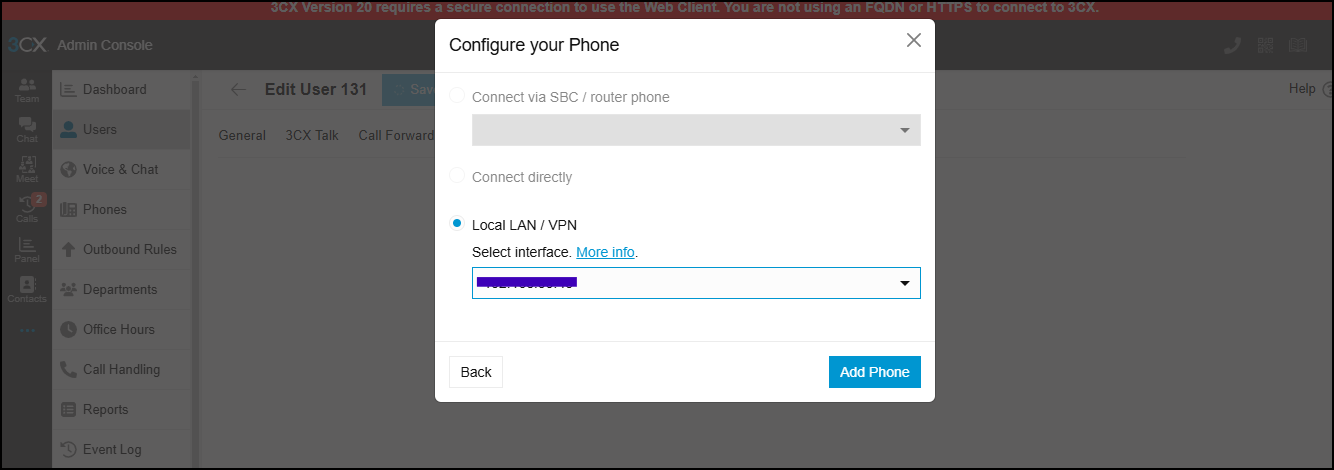
It will show some cardinals
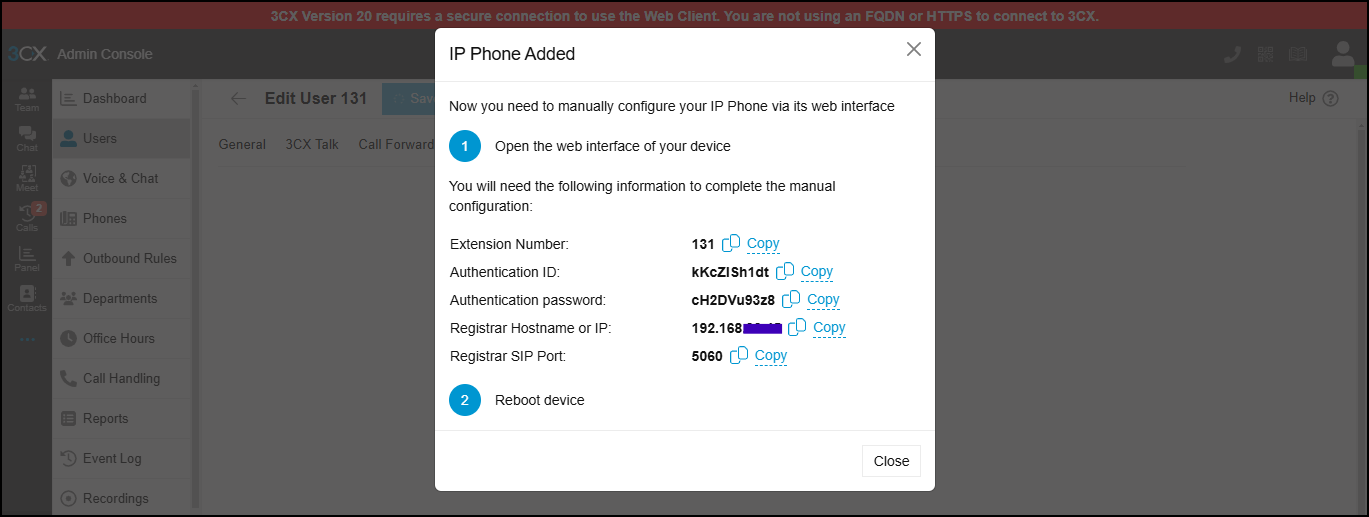
So the configuration from 3CX is complete.
In FIBERME IP-Phone#
Then go to IP-Phone and add the extension
Login to IP-Phone
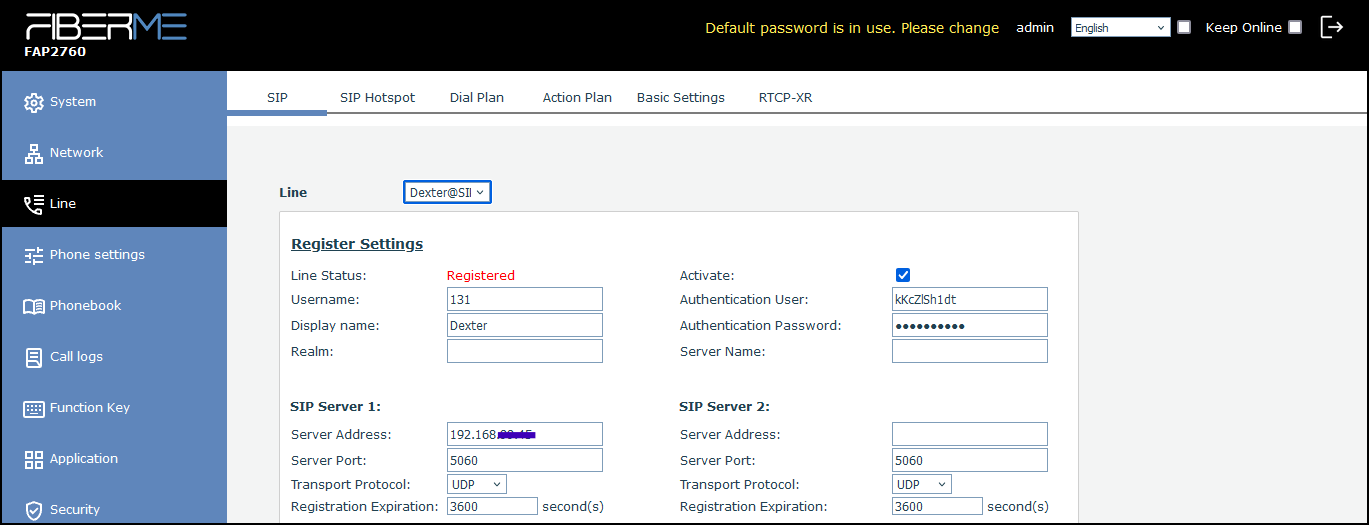
Navigate to Line
Enable Activate
Username : 131 Write the user number
Authentication User: kKcZlSh1dt Write Authentication ID
Display name: Dexter Write the name of user
Authentication Password: cH2DVu93z8
Server Address: IP of 3CX
Server Port: 5060
Transport Protocol: UDP
Still stuck?
FIBERME support can look at your setup with you. Certified Partners can also ask in the FIBERME Community, and anyone can learn the systems step by step in the free courses of FIBERME Academy.