
How to integrate FAP27xx IP Phone series with FIBERME FCM5404 LDAP
To establish connectivity from the 27xx ip phone, it is necessary to configure LDAP Server on 27xx ip phone . This will enable the 27xx ip phone to access to FCM5404 Contacts.
On this page
IPPBX : FCM5404
IP : 192.168.1.1
IPPhone : FAP27xx
IP: 192.168.1.100
1- IPPBX FCM5404#
Login into FCM5404 web GUI.
On FCM5404 web GUI, navigate to System Setting-> LDAP Server
Change Enable LDAP Server: Yes
Nivgate to Copy
1- Directory Node: dc=pbx,dc=com
2- Username: cn=admin,dc=pbx,dc=com
3- Password: 123456
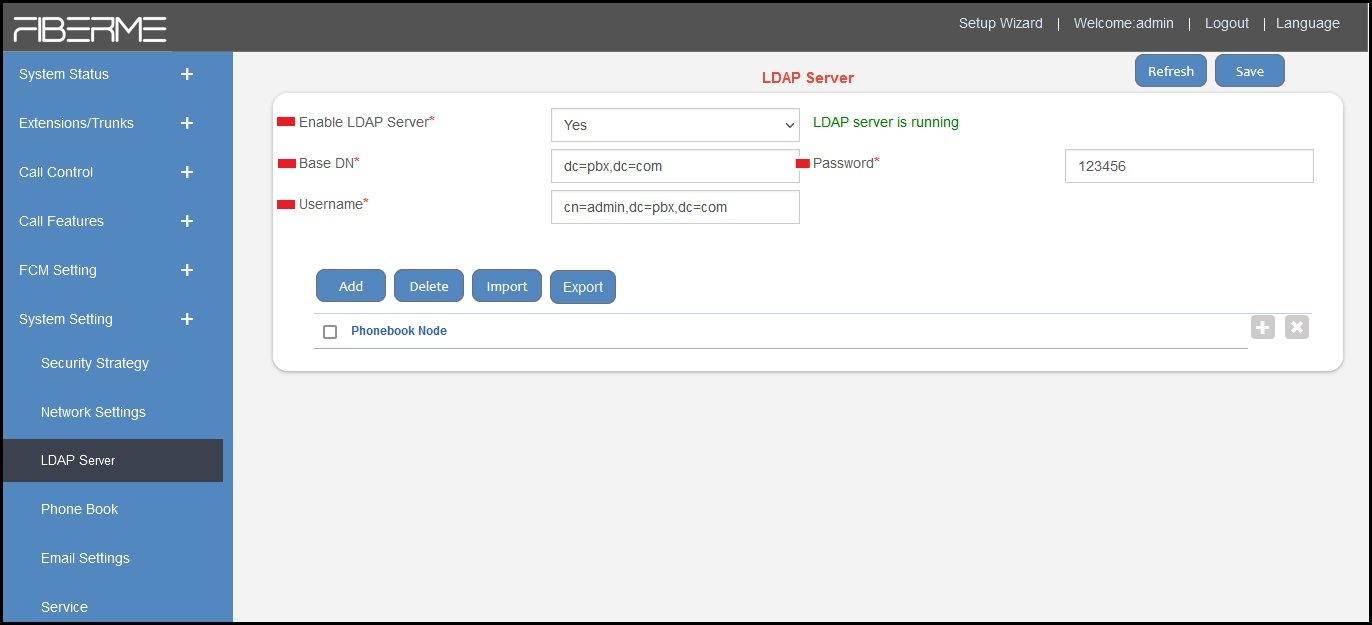
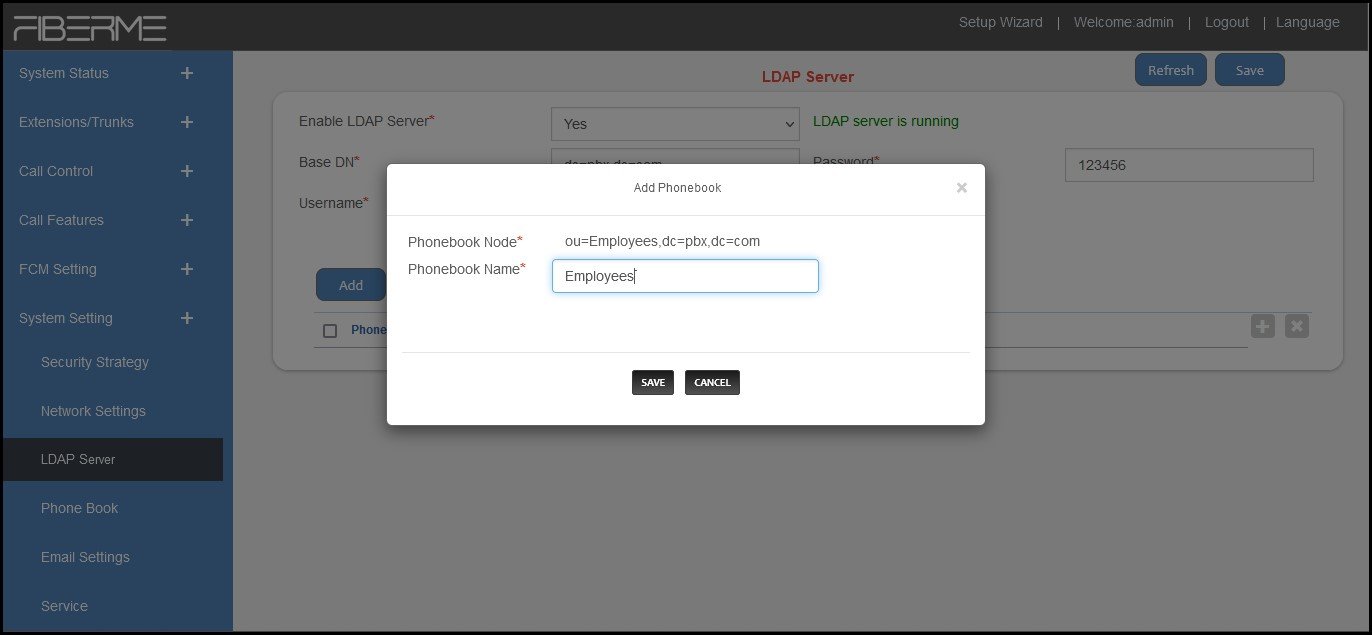
Navigate to Add
Write Phonebook Name
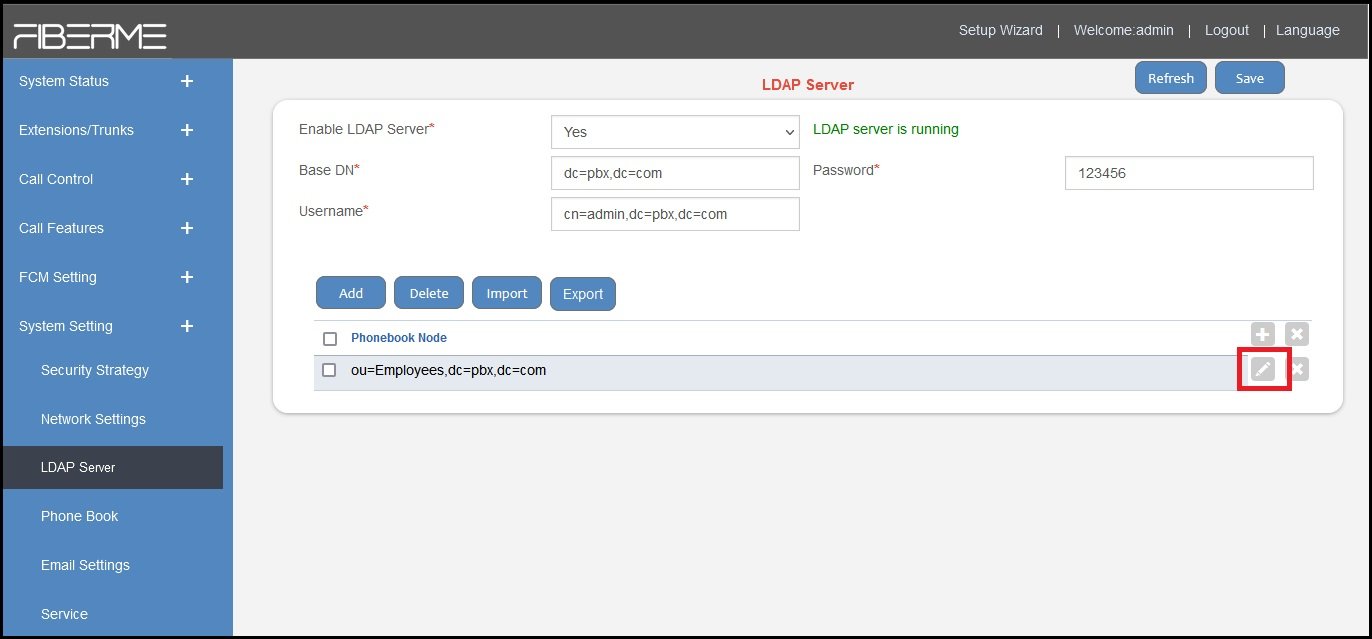
Click save
– Navigate to Edit Phonebook
Add contact
Click Save
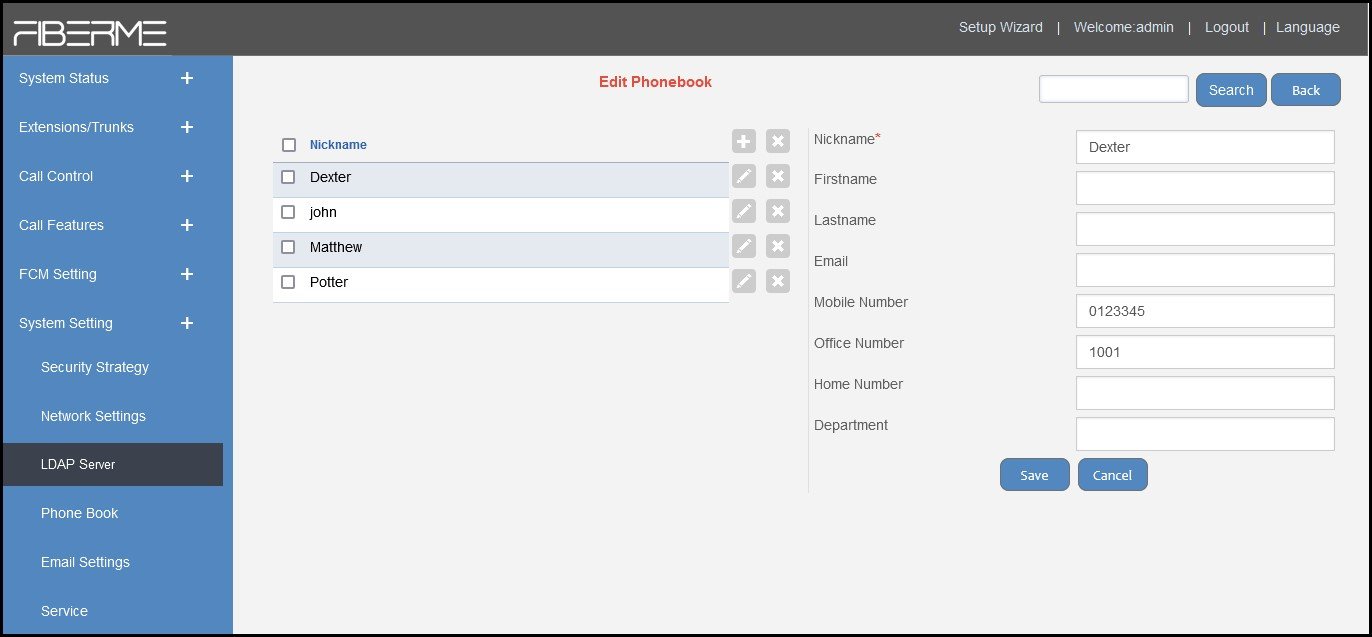
2- IP Phone FAP27xx#
This phone has the capability to store 4 LDAP entries.
On FAP27XX web GUI, navigate to Phonebook -> Cloud phonebook
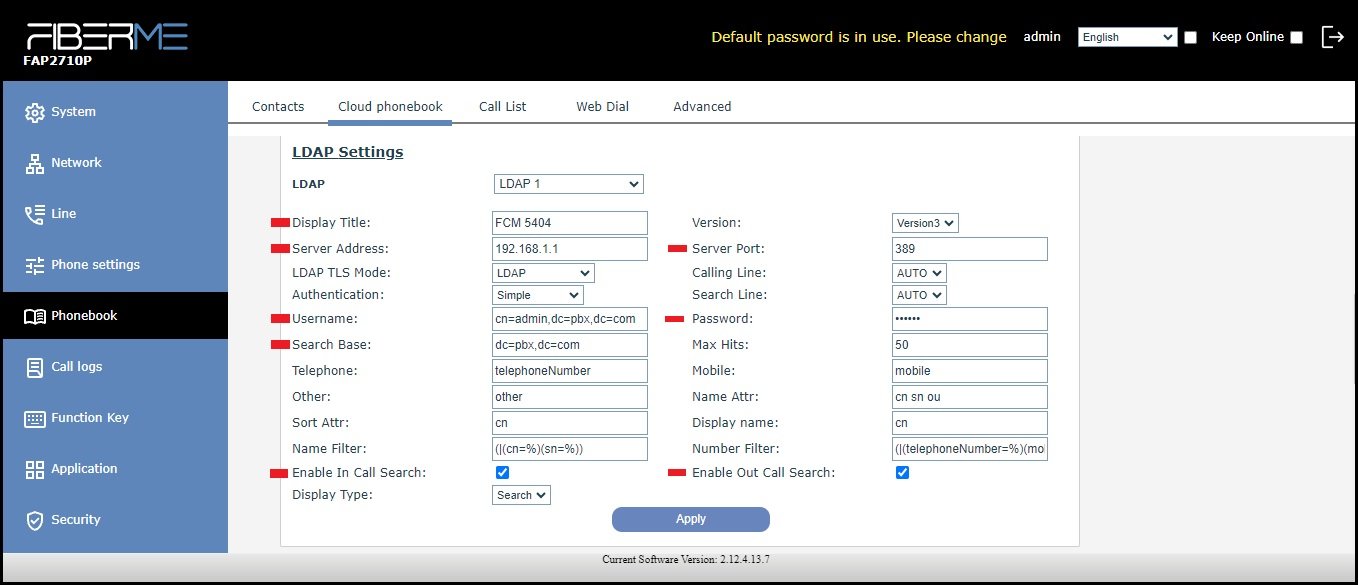
Add some credentials here.
Display Title: FCM5404
Version: Version3
Server Address: 192.168.1.1 \\ IP FCM5404
server port: 389
Authentication: None
Username: cn=user,dc=ippbx,dc=com
Search Base: dc=ippbx,dc=com \\ Directory Node
Password: password
Chick Mark : Enable In Call Search \\ This feature allows the access to LDAP during incoming calls.
Chick Mark : Enable Out Call Search \\ This feature allows the access to LDAP during outcoming calls.
How to show this contact information on phone#
– FAP2710 series#
1- Press in contact button .

2- Navigate to LDAP

3- All contacts will appear here.
– FAP2730\40 series#
1- press in contact button .

2- Navigate to LDAP
3- Navigate to FCM5404
4- All contacts will appear here.
Still stuck?
FIBERME support can look at your setup with you. Certified Partners can also ask in the FIBERME Community, and anyone can learn the systems step by step in the free courses of FIBERME Academy.