
How to register FIBERME FCM5600 With FAG3108/24 using FRC
To establish connectivity between the IPPBX and an analog phone, it is necessary to enable registration for the FXS gateway on the IPPBX. This will enable the analog phone to connect with other extensions registered on the IPPBX.
On this page
Topology#
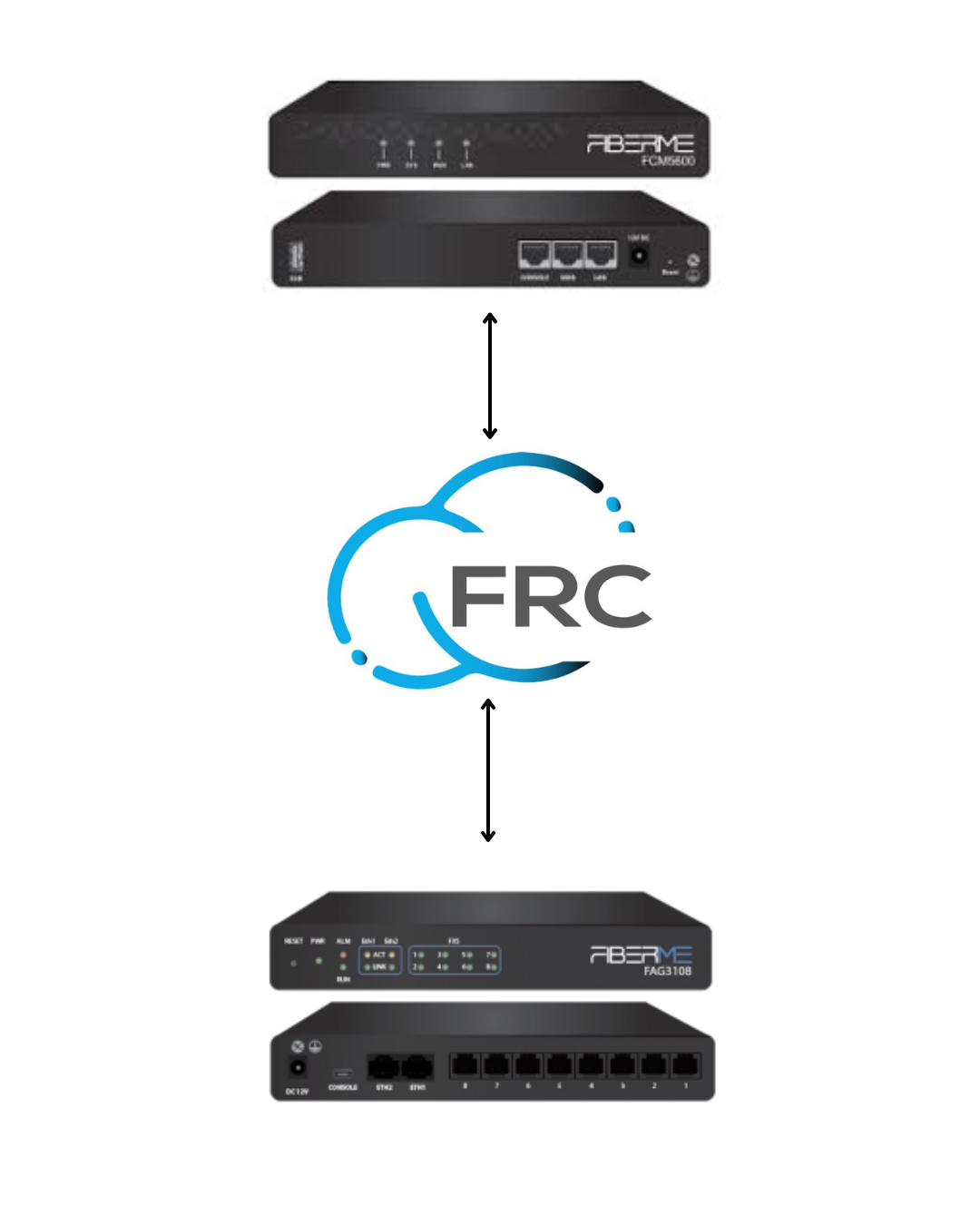
On FCM5600 (IP-PBX)#
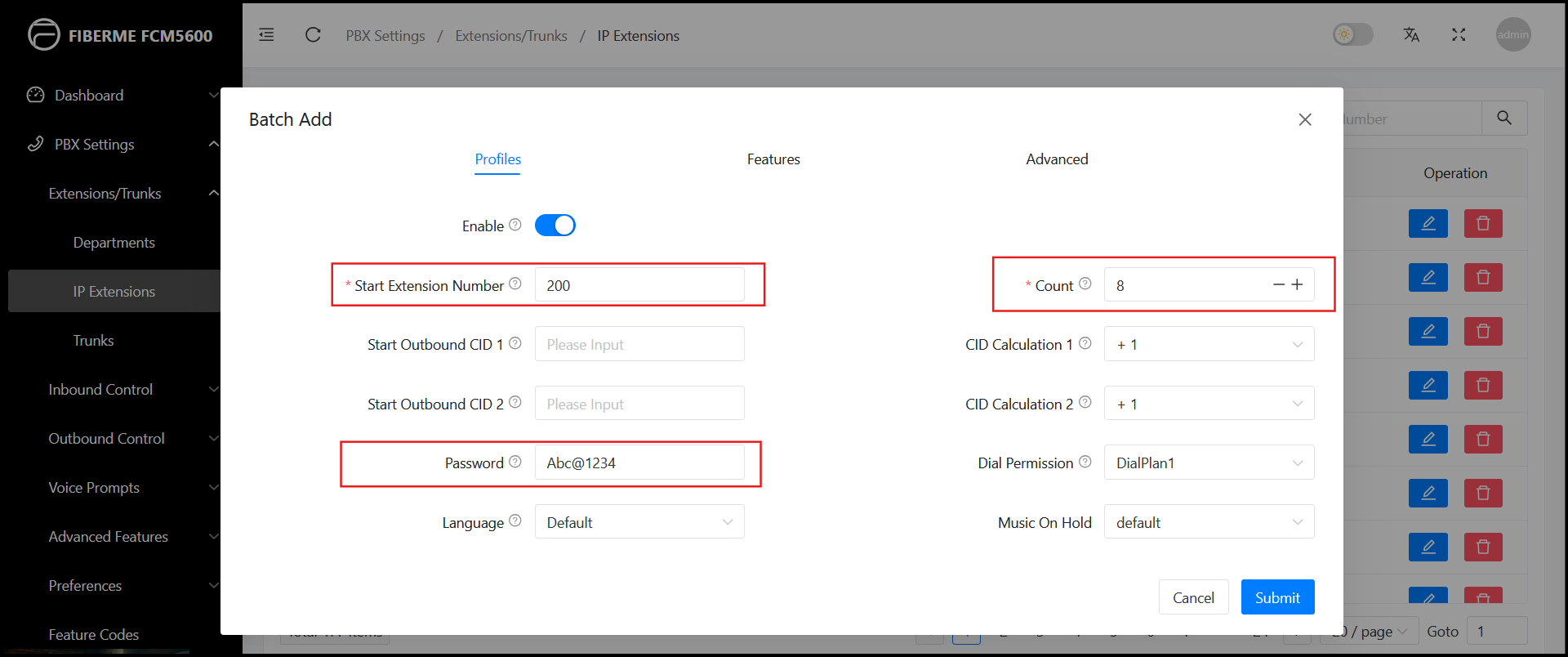
1- Navigate to PBX Settings-> Extensions/Trunks ->Extension.
2- Add bulk extensions ( Number of Extensions you need )
-Start Extension Number: 200 ( Number of Extensions you need to start)
-Count : 8 ( The count of extensions you want)
-Password
3- Navigate to Features
– Enable Remote Extension

FAG3108 (FXS Gateway)#
1- Navigate to VOIP -> SIP.
Write your domain in Registrar IP Address -> yourcompanyname.fiberme.cloud
Write Register port -> 5162
Make SIP Transport Protocol ->TLS


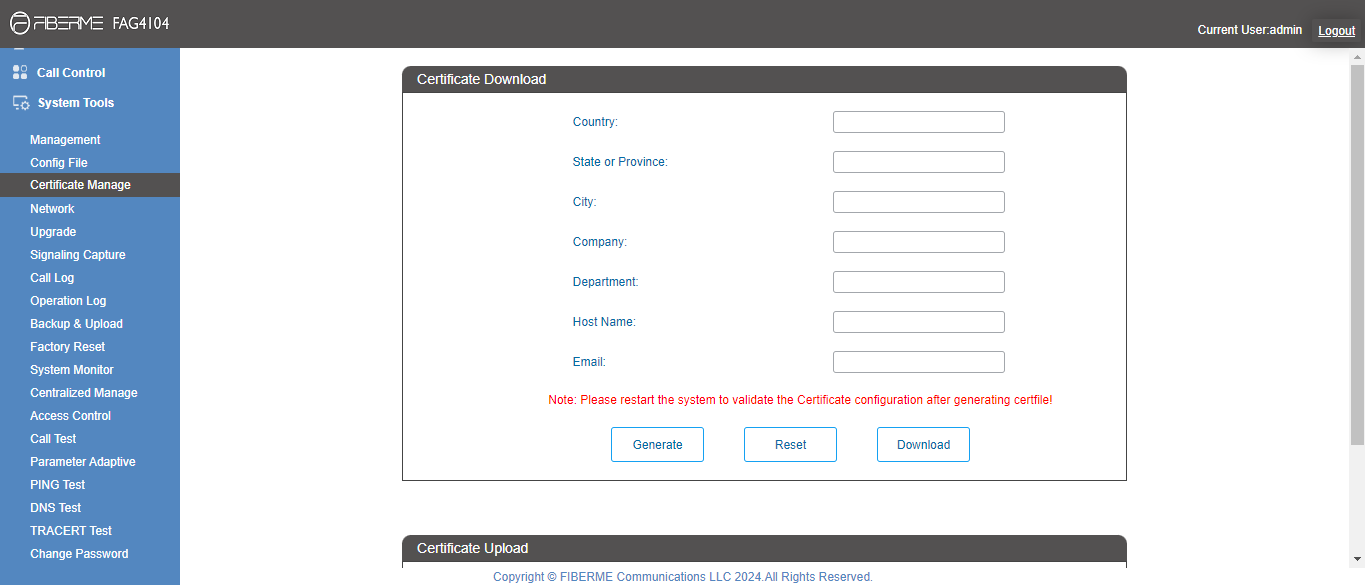
To make certificates to Use TLS
5- Navigate to system tools -> certificate manage
– Write your Data
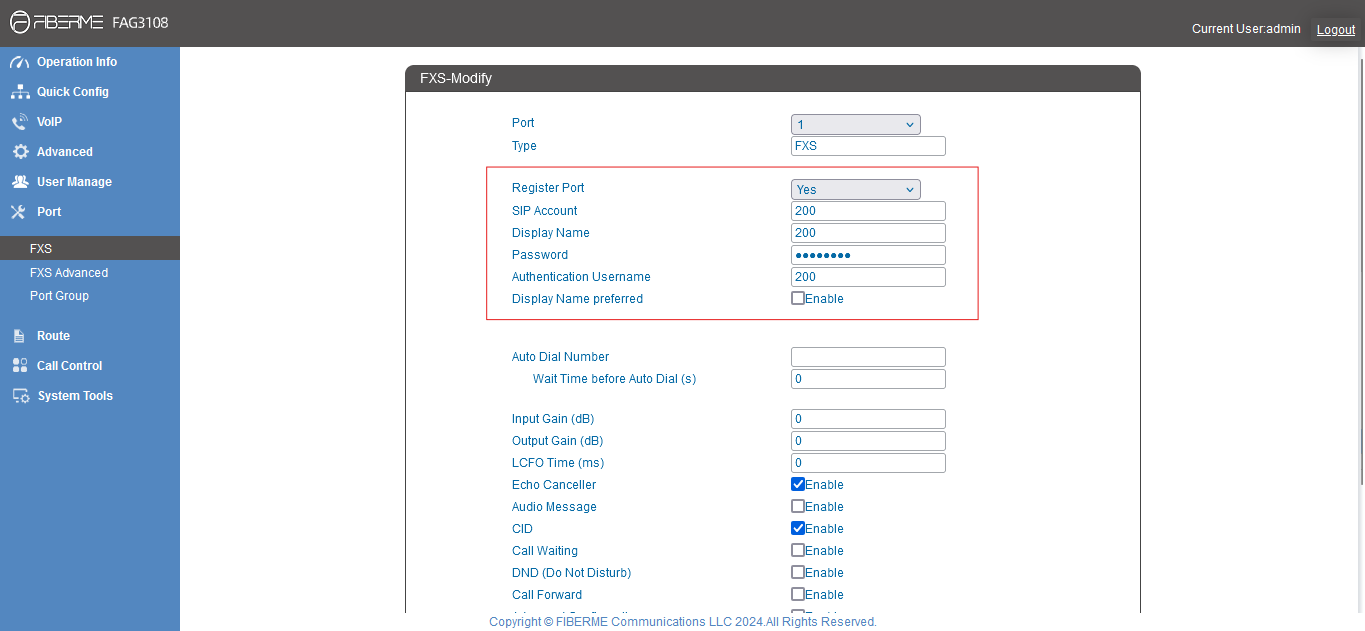
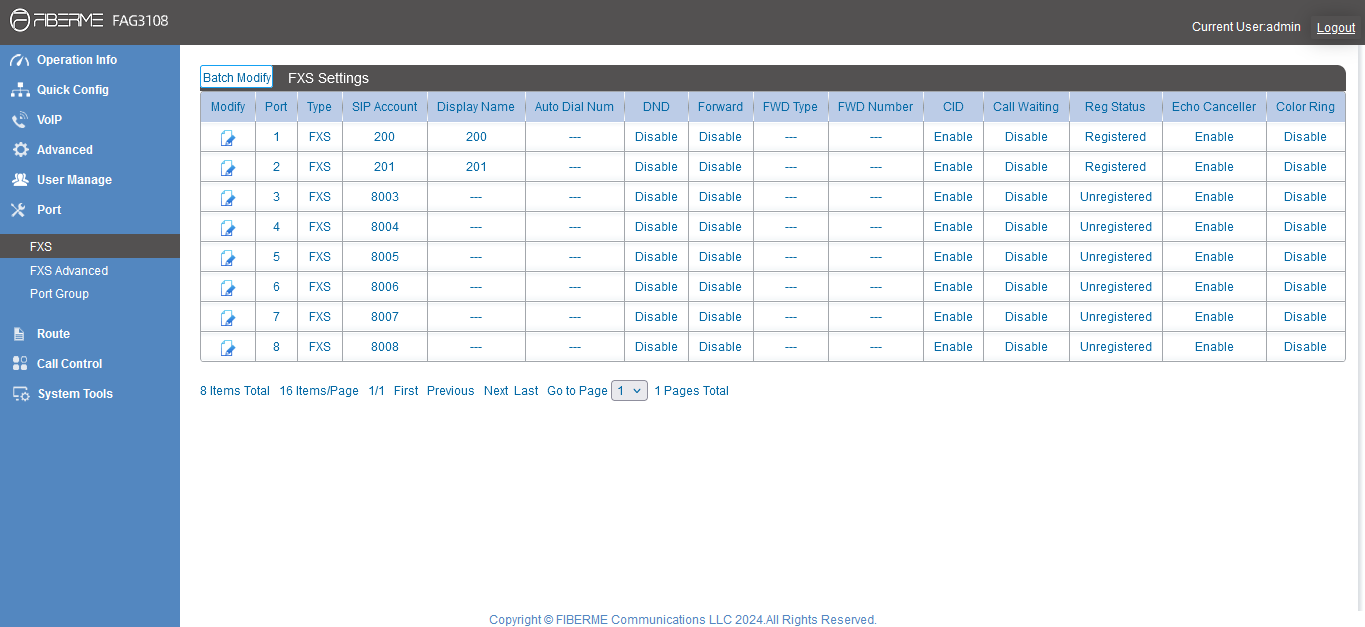
7- Navigate to Port -> FXS
– Choose Port you need and add sip account .
Register Port -> yes
SIP Account : 200
Display Name : 200
Password:
Authentication Username :200
– Make sure REG states is Registered
Still stuck?
FIBERME support can look at your setup with you. Certified Partners can also ask in the FIBERME Community, and anyone can learn the systems step by step in the free courses of FIBERME Academy.